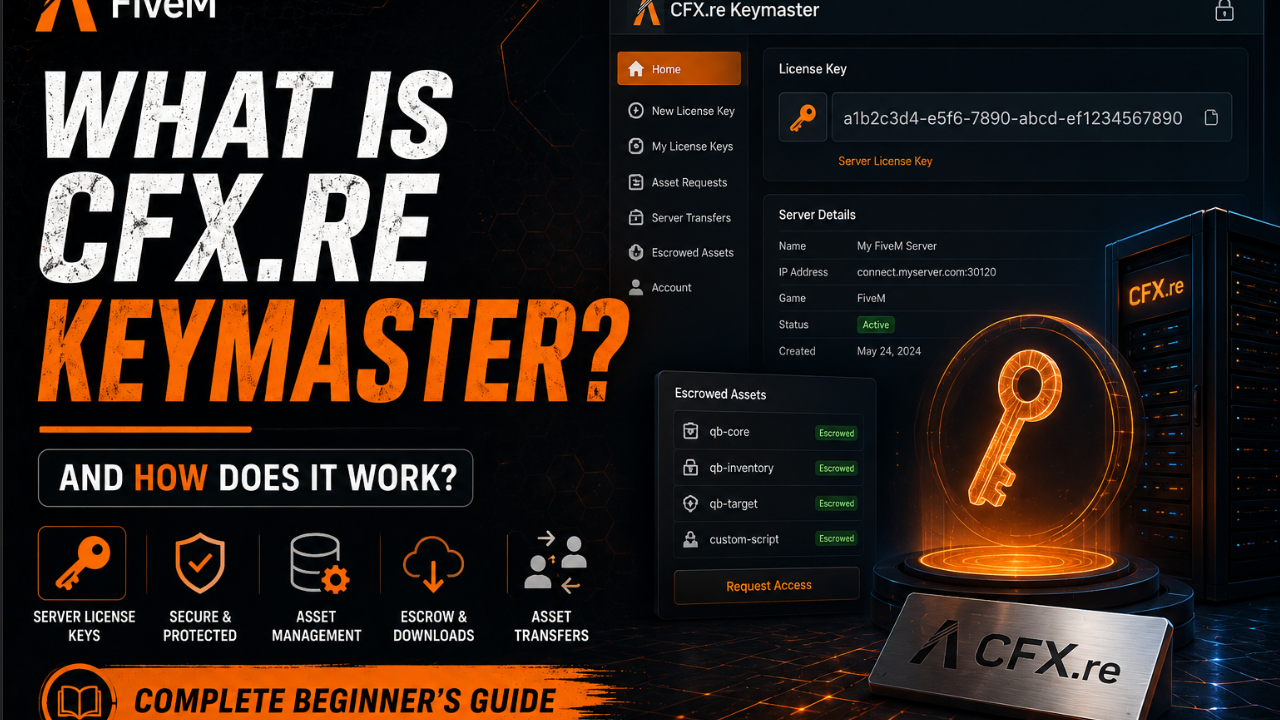
# What is CFX.re Keymaster and How Does it Work?
If you buy FiveM assets on Tebex, you hear about CFX.re Keymaster constantly. Your assets are tied to it, you download from it, and your server license lives there. But many server owners do not fully understand how it works — which leads to confusion when assets do not appear or transfers are needed.
## What is CFX.re?
CFX.re is the organization behind FiveM. They created and maintain the FiveM platform, the server infrastructure, and the asset protection system. When you register a FiveM server or purchase protected assets, you are working within the CFX.re ecosystem.
## What is Keymaster?
Keymaster at keymaster.fivem.net is CFX.re's portal for server owners and asset holders. It serves two primary purposes:
**Server license management** — Every public FiveM server requires a license key registered through Keymaster. This ties your server to your CFX account and allows it to appear in the server browser.
**Asset management** — When you purchase Tebex-protected FiveM assets such as MLOs, scripts, and vehicle mods, they are delivered to your Keymaster account. You download them from here and they are tied to your CFX.re identity.
## How Tebex Asset Protection Works
Tebex is the payment and delivery platform that most FiveM developers use to sell their work. When a developer sells an escrow protected asset, here is what happens:
1. You buy the asset on Tebex
2. Tebex communicates the purchase to CFX.re
3. The asset appears in your Keymaster under Granted Assets
4. You download the asset from Keymaster
5. The downloaded files are encrypted and tied to your CFX account
The asset files only run on a server that is linked to the CFX account that purchased them. If someone else tries to use your purchased files on their server, they will not work — the encryption checks the server license against the asset grant.
This is why you cannot simply share purchased MLO files with other server owners. The protection is enforced at the server level.
## How to Access Your Assets
1. Go to portal.cfx.re and log in
2. Click Keymaster in the navigation
3. Select Granted Assets from the menu
4. Find your purchased asset in the list
5. Click Download next to it
6. Extract the downloaded ZIP and install as normal
## Server License Registration
Every public FiveM server needs a license key:
1. Go to keymaster.fivem.net
2. Log in with your CFX account
3. Click New Server
4. Enter your server name and IP address
5. Click Generate
6. Copy the generated license key
7. Add to server.cfg: sv_licenseKey "your_key_here"
Each license key is tied to a specific server IP. If you change hosting providers and your IP changes, you need to update the registration in Keymaster.
## Asset Transfers
Sometimes you need to transfer a purchased asset to a different CFX account — for example if you are selling your server.
First transfer: Free, done through portal.cfx.re under the asset in Granted Assets.
Subsequent transfers: Contact Tebex support — additional transfers may require verification.
Baasha Bhai Studio policy allows one free transfer. For a second transfer, open a Discord ticket and we will assist with the process through proper channels.
## Common Keymaster Issues
**Asset not appearing after purchase:**
- Allow up to 15 minutes for the purchase to sync
- Make sure you purchased while logged into the correct CFX account
- Check your Tebex order confirmation for the CFX account it was granted to
- If still missing after 30 minutes, contact the developer with your order ID
**Download link not working:**
- Try a different browser
- Clear browser cache and cookies
- Contact Tebex support if the issue persists
**Asset works in development but not on live server:**
- Your live server license must be registered to the same CFX account that received the asset grant
- Check that sv_licenseKey in server.cfg matches the key in your Keymaster
**License key rejected:**
- The IP in Keymaster must match your server's outbound IP
- Some hosting providers use NAT — your server thinks it is one IP but appears as another externally
- Check your actual outbound IP and update Keymaster accordingly
## Protecting Your CFX Account
Your CFX account contains your server license and all purchased assets. Protecting it is critical:
- Use a strong, unique password
- Enable two-factor authentication on your CFX account
- Never share your account credentials with staff or developers
- If a developer needs to deliver an asset to you, give them your CFX username — never your password
## Final Thoughts
CFX.re Keymaster is straightforward once you understand its purpose. It ties your purchased assets to your identity, protects developers' work from piracy, and manages your server's authorization on the FiveM network. Understanding how it works prevents confusion when setting up assets and helps you manage your server infrastructure professionally.
FiveM Guide 26 June 2026
What is CFX.re Keymaster and How Does it Work?
Learn what CFX.re Keymaster is, how Tebex asset protection works, how to download your purchased FiveM assets, and how to manage your server license.